// MLCRough v5.3.1
Hand-drawn SVG, also for diagrams that already exist
// Gallery

// Features
Why choose MLCRough.
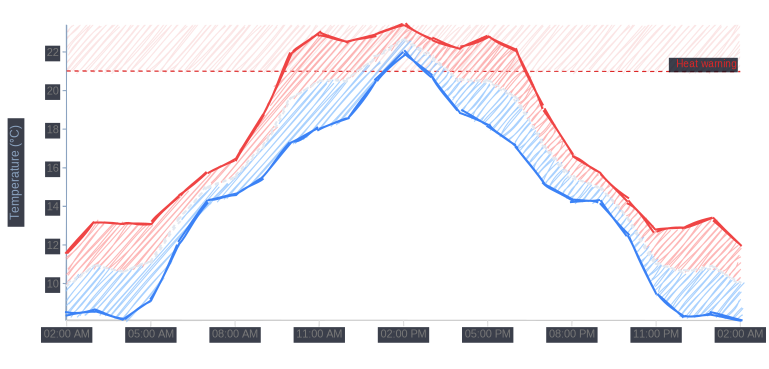
roughen() takes a finished SVG document — from Mermaid, D3, Graphviz or a charting library — and redraws it by hand. Same shapes, same colours, same labels.
The library produces SVG as a string and needs neither a browser nor a canvas. The whole chain — data, chart, sketch — runs in Node, in a build step or in CI.
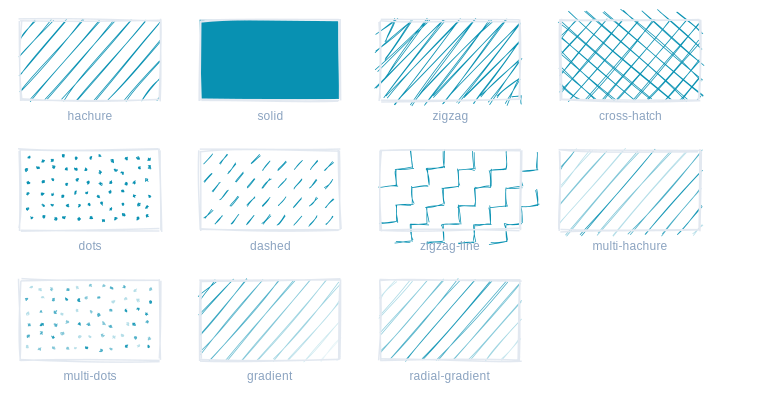
Hachure and its relatives, plus multi-hachure and multi-dots for shading, and position-based gradient and radial-gradient fills.
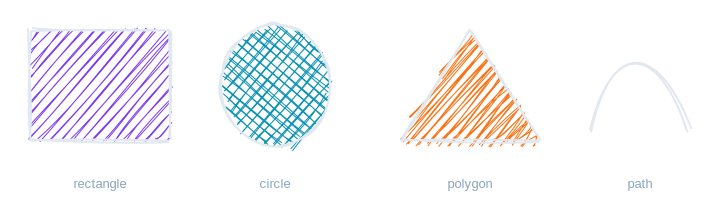
The generator API draws rectangles, circles, ellipses, lines, polygons and paths as abstract SVG nodes that serialize to a string.
npx mlcrough graph.svg -o sketch.svg turns a file into a sketch — handy right after a Mermaid or Graphviz run.
About 10 KB gzipped, a clean ES module with strict TypeScript types. A modernised fork of Rough.js by Preet Shihn.
MLCRough draws in a hand-drawn, sketchy style. You can describe shapes in code, or hand it a finished SVG — from Mermaid, D3, Graphviz, a charting library — and get the same drawing back as a sketch.
It needs neither a DOM nor a canvas. That is why it runs in Node, in a build step or in CI just as it does in the browser.
Install
npm install mlcrough
In the browser, without a build step:
<script type="module">
  import mlcrough from 'https://unpkg.com/mlcrough';

  const rc = mlcrough.svgString();
  const node = rc.rectangle(10, 10, 200, 200);
  console.log(mlcrough.serialize(node));
</script>
Roughen an SVG someone else made
import mlcrough from 'mlcrough';

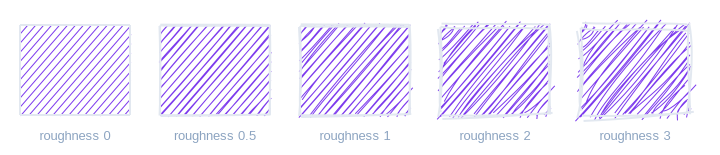
const sketch = mlcrough.roughen(svgString, { roughness: 1.4, fillStyle: 'hachure' });
Or from the shell, right after the tool that produced the diagram:
mmdc -i graph.mmd -o graph.svg && npx mlcrough graph.svg -o sketch.svg
Shapes are replaced in place. Text, markers, gradients and the surrounding markup pass through untouched. Colours are read from where they actually live, including the <style> block that generated documents keep their styling in.
Draw shapes from code
import mlcrough from 'mlcrough';

const rc = mlcrough.svgString();
const node = rc.rectangle(10, 10, 200, 200); // x, y, width, height
const svgString = mlcrough.serialize(node);
Where to go from here
The manual covers both ways of working, the shapes, redrawing an existing SVG, the fill styles and a complete pipeline from data to sketch. Its figures are drawn by the library itself.
Origin
MLCRough is a modernised fork of Rough.js by Preet Shihn: independent of DOM and canvas, a pure ES module, strict TypeScript, additional fill styles, and roughen() for existing SVG.
Licence
MIT. The manual's text is CC BY-NC 4.0.